- Softonic Rating:
- Very good:8/10
- License:
- Evaluation
- Added:
- October 4, 2007
- Updated:
- August 11, 2008
- Publisher:
- Website
- File size:
- 4.2 MB
- Downloads:
- 137
- DownloadEvaluation
“A powerful personal finance organizer”
by Cyril Roger
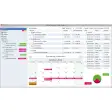
Moneywell aims at simplifying how you manage your personal finances. The application shows all your income and expenses in one clear interface. These are put in buckets, which are listed on the left of the program window. You can create buckets for every sort of income and expense such as transportation, education or clothing. The right part of the interface shows details for a specific item while the center shows all general information.
We quite liked the tool to allocate your income. You'll be able to set monthly and yearly spending for specific buckets and assign varying priorities for these. Moneywell also lets you easily set your starting income the first time you launch the program.
In terms of performance, we were a bit confused by the interface and by how you could allocate amounts or recalculate income and expenses. We were a bit annoyed not too find an undo button on the menu bar and found that the preferences were really limited. In all, though, you should get used to Moneywell after having fiddled with it for a while.
Moneywell is a nice tool to organize your personal finances and monitor how much money you're allocating to your most common expenses.
Languages:
English
Recent changes in MoneyWell:
- Account-Specific Currency & Exchange Rates: MoneyWell now allows you to set a different currency for each account and define exchange rates for each. Transfers between accounts automatically calculate transaction amounts based on the proper rate. Add as many accounts and currencies as you'd like!
- Schedule Your Future: With MoneyWell's scheduled transactions, you can set a transaction to repeat daily, weekly, monthly, or yearly and control the iteration span and duration. Open transactions with a future date are marked as "Pending" and can be hidden to avoid affecting bucket totals. There's also a brand new view for transactions. In addition to the "Current" and "Memorized" views, you can now choose a "Scheduled" view to see the next schedule transaction in each series. This is a great place to manage your future transactions.
- Added Allocate Income Intelligence: Allocate Income is a quick way to spread incoming money out across your expense buckets with one or two mouse clicks and now it's even smarter. You can assign monthly timing (first half, second half, or all month) to each bucket and MoneyWell will flow money based on your choices. You can now also combine several income buckets in a single allocation.
- Ordering Your Accounts is a Drag: Instead of leaving accounts ordered by type and name, you can now simply drag accounts up or down the list to set your own order. This allows you to put your most used accounts at the top for quick viewing. You can also hide seldom used accounts and buckets.
- Reporting for Duty Sir!: MoneyWell does a great job of showing just what you need to see on screen to manage your finances, but sometimes you just need paper for your CPA or records. With version 1.3, you now have four additional reports, including Transaction Report with Subtotals, Bucket Summary Report, Tax Detail Report, and Tax Summary Report. Just click Print and select the report style, selection method and time period. You can even choose a custom date range.
- Context Menus for Power Users: Why have the ability to right-click your Mighty Mouse if there's no context menu when you do it? MoneyWell now fills that need for power users and provides context menus for accounts, buckets, and transactions. Right-click on a closed account and hide it or a transaction and reconcile it. You can even mark a transaction to not require a bucket assignment for balance adjustments and other special cases.
- Same Great Graph with Triple the Feedback: MoneyWell's Cash Flow Graph is a great tool to quickly spot spending trends and improve your habits, but now you can even see more than ever before. Just by pausing your mouse cursor over a bar, you'll see a tool tip that not only tells you the exact amount spent but also the money flows in and out that month and rollovers too. Additionally, the graph incorporates money flows into the column feedback and will now show you red hash marks when you spend more than you have allocated and blue hash marks when you exceed your planned amount.
Limitations:
Limited to 200 transactions
OS requirements for MoneyWell:
- OS: Mac OS X
Minimum requirements:
- Processor: PPC/Intel MHz
- Mac OS X 10.4 or later
- Put income and expenses in buckets
- Set priorities
- Allocate income
- No undo button
- Limited preferences
Featured program
Softonic gives special recognition to software of exceptionally high quality. More information
Posts about MoneyWell in our blog
- Today’s downloads for Windows, Mac and Mobile by Cyril Roger
Sponsored Links
Programs similar to MoneyWell
MoneyWell options
Reviews for MoneyWell in other languages
- MoneyWell (Análisis en español)
Your opinion is important!